

5 Best PCB Creators Online in 2026: An Expert Engineering Guide
Hardware design has undergone a massive paradigm shift. Gone are the days when designing a printed circuit board required multi-thousand-dollar desktop licenses and isolated, localized servers. The relentless advancement of cloud computing has democratized hardware engineering, bringing powerful layout capabilities directly to the web browser. For engineering teams and independent developers alike, finding reliable PCB creators online is no longer a compromise—it is a strategic advantage for rapid prototyping and collaborative design.

Wintech is a full turnkey service, high-mix, low to mid volume electronics manufacturing and custom material solutions provider with a proven track record of supplying state-of-the-art solutions to all global customer bases. We provide tailor-made solutions for our customers: high level, high difficulty, large size, complex structure, high precision PCB Layout, PCBAs and turnkey complete products full systems electronic contract manufacturing solutions. Whether you require prototyping, low to mid volume, or mass production, many of the world's top 500 enterprises have cooperated with us for many years. Wintech is worth relying on; you can explore our manufacturing heritage via the Wintech PCB company profile. In this uncompromising guide, we evaluate the five best PCB creators online to help you streamline your hardware development workflow.
Quick Answer: The Best Browser-Based EDA Tools
The 5 best PCB creators online for 2026 are EasyEDA, Flux.ai, Upverter, Altium 365 (CircuitMaker), and Autodesk Tinkercad Circuits. From our experience, EasyEDA is the supreme choice for rapid, cost-effective prototyping due to its tight supply chain integration, while Flux.ai dominates in AI-assisted, real-time collaboration for remote engineering teams. We recommend selecting a platform based on your specific operational requirements. Beginners should leverage Tinkercad Circuits for an optimal learning curve, whereas commercial users executing complex multilayer designs require the robust governance of hybrid cloud environments like Altium 365. Regardless of the software utilized, always ensure your chosen platform allows for the unrestricted export of standard manufacturing files (Gerbers, ODB++, and BOMs).
Table of Contents
- What It Is: Cloud-Native Hardware Design
- How It Works: Browser Rendering & Cloud Processing
- The Strategic Benefits of Online PCB Layout
- Limitations and Security Constraints
- Who Should Use It
- Who Does Not Need It
- The 5 Best PCB Creators Online in 2026
- Common Mistakes in Browser-Based Design
- Crucial Buying Considerations
- Summary and Comparison Tables
- Wintech Expert Recommendation
- Frequently Asked Questions (FAQ)
What It Is: Cloud-Native Hardware Design
PCB creators online are web-native Electronic Design Automation (EDA) environments. They empower electronics engineers, hardware architects, and hobbyists to draft schematics, capture component footprints, and route circuit traces entirely within a standard web browser. By circumventing local software installations, these platforms resolve historic operating system compatibility issues across Windows, macOS, and Linux hardware.
When evaluating free PCB design software tools, you will quickly discover that modern online platforms rival the functionality of legacy desktop software. They offer comprehensive cloud-hosted component libraries, interactive Design Rule Check (DRC) engines, and robust 3D viewing capabilities that require zero local processing power to render.
How It Works: Browser Rendering & Cloud Processing
These browser-based tools rely on HTML5, WebGL, and WebAssembly frameworks to render intricate 2D vector schematics and complex 3D board models smoothly. When a designer places a component onto the digital canvas, the tool communicates via API with cloud databases to fetch real-time footprint dimensions, electrical parameters, and live supply chain pricing.
In most professional situations, the true power of this architecture is realized through synchronous collaboration. One electrical engineer can actively route copper traces on the layout view while another simultaneously updates resistor values on the schematic. Once the layout is perfected, the cloud computing engine compiles the manufacturing data—such as Gerbers, NC Drill files, and Pick-and-Place coordinates. These standardized outputs are then transmitted directly to fabrication facilities, such as leading pcb board makers China, effectively bridging the gap between digital ideation and physical assembly.
The Strategic Benefits of Online PCB Layout
From our experience, the most transformative benefit of utilizing PCB creators online is the elimination of environment friction. There are no burdensome software updates to manage and no localized file corruption events. Real-time collaboration serves as a single source of truth, effectively preventing the version control disasters that inevitably occur when emailing static project files back and forth.
Furthermore, integrated Artificial Intelligence (AI) copilots now automate tedious footprint generation and parse complex PDF datasheets in seconds. The cloud architecture also guarantees that your component libraries are continuously synchronized with active global supply chain data, shielding your engineering team from the costly mistake of designing a board around obsolete or out-of-stock silicon chips.
Limitations and Security Constraints
Cloud dependency is the fundamental limitation of these tools. Without a stable and secure internet connection, your engineering workflow halts entirely. For heavy-duty applications—such as defense contracting, proprietary aerospace development, or highly secure corporate research—storing unencrypted Intellectual Property (IP) on third-party public servers often violates stringent data governance frameworks.
Additionally, while browser performance has advanced rapidly, rendering complex, high-density boards with more than twelve layers and tens of thousands of connections can still induce latency and browser throttling. If you are routing massive industrial backplanes, the dedicated local processing power of native desktop software remains unmatched.
Who Should Use It
We recommend online PCB creators for hardware startups, distributed engineering teams, educational institutions, and open-source makers. The frictionless onboarding process—often as simple as clicking a shared URL—accelerates project kickoff timelines dramatically. It is also an exceptional solution for cross-functional corporate teams; mechanical engineers can easily log in to verify mounting hole dimensions without needing to requisition an expensive, dedicated ECAD license from the IT department.
If you are outsourcing assembly to advanced international facilities, such as top-tier PCB companies in Singapore, the cloud-based sharing of 3D models and dynamic Bill of Materials (BOM) significantly streamlines the vendor quotation and DFM review process.
Who Does Not Need It
For commercial users designing ITAR-restricted military hardware or strictly confidential medical devices, public cloud platforms introduce unacceptable security and compliance risks. Furthermore, engineers working on ultra-high-speed digital layouts, advanced RF (Radio Frequency) communication boards, or high-power electronics requiring intricate thermal and electromagnetic physics simulations will find browser tools inadequate. In these highly specialized scenarios, the computational intensity demands enterprise-level desktop software equipped with dedicated, heavy-duty physics simulation engines.
The 5 Best PCB Creators Online in 2026
Here is our curated assessment of the top browser-based layout platforms available to hardware designers today. If you plan to scale your operations, aligning your software choice with a reputable fabrication network is vital. Many of the companies featured on the global PCB manufacturers list accept direct API integrations from the tools evaluated below.
1. EasyEDA

EasyEDA is unequivocally the most popular browser-based layout tool for rapid, cost-effective prototyping. Integrated deeply with the LCSC component distributor and JLCPCB fabrication ecosystem, it offers a frictionless path from a digital schematic to a physical board. The tool boasts an astronomical community-driven component library, ensuring you rarely have to draw custom footprints from scratch.
The Wintech Verdict: In our testing, EasyEDA is the ultimate choice for speed-to-market when designing standard 2-to-4 layer boards. While its routing engine may lack the advanced differential pair tuning required for complex high-speed designs, its ecosystem efficiency is unmatched for commercial makers and rapid R&D teams.
2. Flux.ai
Flux.ai represents the next generation of cloud-native hardware design. Built entirely around real-time multiplayer collaboration, it functions much like Google Docs for hardware engineering. Its standout feature is a highly capable AI copilot that can autonomously generate component footprints by analyzing uploaded PDF datasheets, saving hours of manual data entry.
The Wintech Verdict: For distributed teams aiming to automate the tedious aspects of library management and schematic validation, Flux.ai is a revolutionary platform. It is best suited for agile startups that value workflow velocity and collaborative problem-solving over legacy desktop features.
3. Upverter
Acquired by Altium, Upverter remains a highly capable, strictly browser-based design environment. It shines in its modular design approach and highly intuitive user interface, making it exceptionally popular within educational programs and startup incubators. Upverter excels at hiding the traditional, intimidating complexities of EDA software behind a clean dashboard.
The Wintech Verdict: Upverter is brilliant for small teams building modular hardware. Its "concierge" part creation service—where you can request footprints to be made for you by their team—is a massive time-saver for engineers who despise library management.
4. Altium 365 / CircuitMaker
While Altium Designer is fundamentally an enterprise desktop application, Altium 365 brings its formidable ecosystem into the cloud. For pure browser-based editing aimed at the maker community, Altium offers CircuitMaker, a cloud platform leveraging Altium's legendary routing engine. It is the perfect bridge for engineers who want professional-grade design rules but prefer cloud accessibility.
The Wintech Verdict: For commercial users bridging the gap between hobbyist projects and enterprise manufacturing, this is the gold standard. The web viewer allows non-technical stakeholders to comment directly on specific copper traces or 3D components in the browser, streamlining the review process securely.
5. Autodesk Tinkercad Circuits
For beginners taking their very first steps into electronics design, Tinkercad Circuits is unparalleled. It allows users to visually wire up components on a virtual breadboard, simulate the electrical behavior (including running Arduino C++ code), and seamlessly translate that breadboard layout into a basic printed circuit board.
The Wintech Verdict: While it lacks the advanced routing tools required for professional commercial products, it is the definitive starting point for learning electronic principles. Once a beginner outgrows Tinkercad, Autodesk provides a logical upgrade path into Fusion 360 Electronics.
Common Mistakes in Browser-Based Design
A frequent and highly costly error we observe is engineers blindly trusting community-generated component footprints. Just because a footprint exists in an online library does not guarantee its pads align perfectly with the physical microchip. Failing to verify footprint dimensions against the manufacturer's official datasheet guarantees assembly failures, which can derail your production timeline even if your assembly house follows a flawless pcb soldering steps guide.
Another prevalent mistake is neglecting to configure Design Rule Checks (DRC) according to your specific manufacturer's capabilities. Routing 3-mil traces when your chosen fabrication house only supports 5-mil tolerances will result in immediate rejection on the production floor. You must input your fabricator's exact constraints into the online tool before you lay down a single trace.
Crucial Buying Considerations
When selecting your online ECAD platform, data portability is the absolute most critical consideration. You must verify whether the platform allows you to export standard, unencrypted Gerber files, ODB++ archives, and CSV BOMs. Some "free" online tools lock your design IP behind a paywall, refusing to generate standard files unless you order physical boards exclusively through their partnered fab.
Additionally, assess the platform's supply chain transparency. A superior online tool will flag end-of-life (EOL) components and display real-time inventory levels across major distributors. Partnering with top-tier fabrication networks, such as the top PCB manufacturers in China, requires standard, clean data outputs. Your software must empower your procurement, not restrict it.
Summary and Comparison Tables
| Platform | Best For | Primary Feature | Learning Curve |
|---|---|---|---|
| EasyEDA | Rapid Prototyping & Makers | Direct Fab & LCSC Integration | Low |
| Flux.ai | Distributed Agile Teams | AI Copilot & Real-Time Sync | Medium |
| Upverter | Educational & Modular Design | Concierge Part Creation | Low |
| Altium 365 (CircuitMaker) | Prosumers & Enterprise Bridge | Industry-Standard Routing Engine | High |
| Tinkercad Circuits | Absolute Beginners | Visual Breadboarding & Simulation | Very Low |
| Feature | Online PCB Creators (Cloud) | Legacy Desktop Software |
|---|---|---|
| Installation Required | No (Browser Native) | Yes (Heavy GB downloads) |
| Collaboration | Real-time, simultaneous multiplayer | Asynchronous, requires Git/SVN |
| Component Libraries | Live cloud updates, integrated pricing | Manual downloads and local maintenance |
| Offline Access | Requires Internet Connection | Fully functional offline |
| Complex RF/Physics Simulation | Limited capability | Highly advanced and robust |
| Pros | Cons |
|---|---|
| Zero installation or OS compatibility friction. | Strict dependency on internet connectivity. |
| Eliminates version control conflicts automatically. | Performance throttles on massive, 10,000+ pad boards. |
| Live supply chain data prevents out-of-stock errors. | Security/Compliance issues for defense contractors. |
| AI copilots drastically reduce manual datasheet entry. | Potential vendor lock-in with certain "free" tiers. |
| Criteria | What to Look For | Why It Matters |
|---|---|---|
| Export Freedom | Gerber RS-274X, ODB++, IPC-2581, CSV BOM | Ensures you can manufacture at any facility globally without vendor lock-in. |
| Data Security | SOC 2 Compliance, End-to-End Encryption | Protects your proprietary circuit intellectual property from interception. |
| DRC Engine | Customizable clearance, width, and via rules | Prevents designing boards that physical fabricators cannot actually build. |
Wintech Expert Recommendation
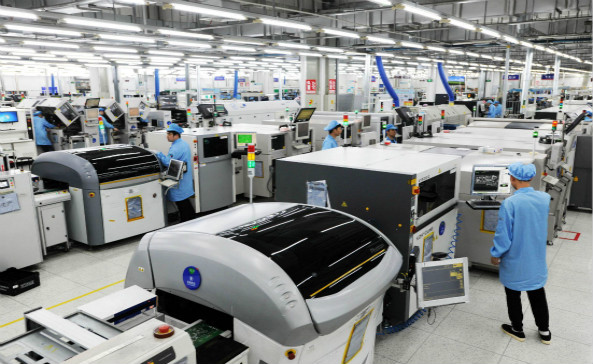
From our experience as a full turnkey assembly provider, the efficiency of your manufacturing run is directly tied to the cleanliness and compatibility of your design data. We recommend Flux.ai for innovative engineering teams seeking to leverage AI for rapid design iterations, and EasyEDA for teams prioritizing immediate, cost-effective fabrication integrations. For commercial users executing complex architectures, transitioning toward the Altium 365 ecosystem remains the gold standard for bridging cloud collaboration with enterprise-grade manufacturing outputs.
Ultimately, irrespective of the browser tool you employ, we advise running your final outputs through a rigorous Design for Manufacturing (DFM) review. At Wintech, our engineers work alongside top electronic manufacturing services companies to ensure your cloud-generated layouts translate flawlessly into high-yield, reliable physical products. Choose a platform that empowers your design speed, but partner with an assembly manufacturer that guarantees your structural integrity.
Frequently Asked Questions (FAQ)
Authoritative References & Industry Standards
To ensure your electronic design and manufacturing processes meet global engineering compliance, we recommend reviewing standards and documentation from the following authoritative bodies:
- IPC - Association Connecting Electronics Industries: The global trade association establishing the standards for PCB acceptability, manufacturing, and design rules.
- Institute of Electrical and Electronics Engineers (IEEE): The world's largest technical professional organization providing peer-reviewed guidelines on circuit theory, signal integrity, and electronic engineering best practices.
- Altium 365 Cloud Security and Trust Center: Authoritative documentation regarding data sovereignty, SOC 2 compliance, and intellectual property protection within cloud-based EDA environments.


